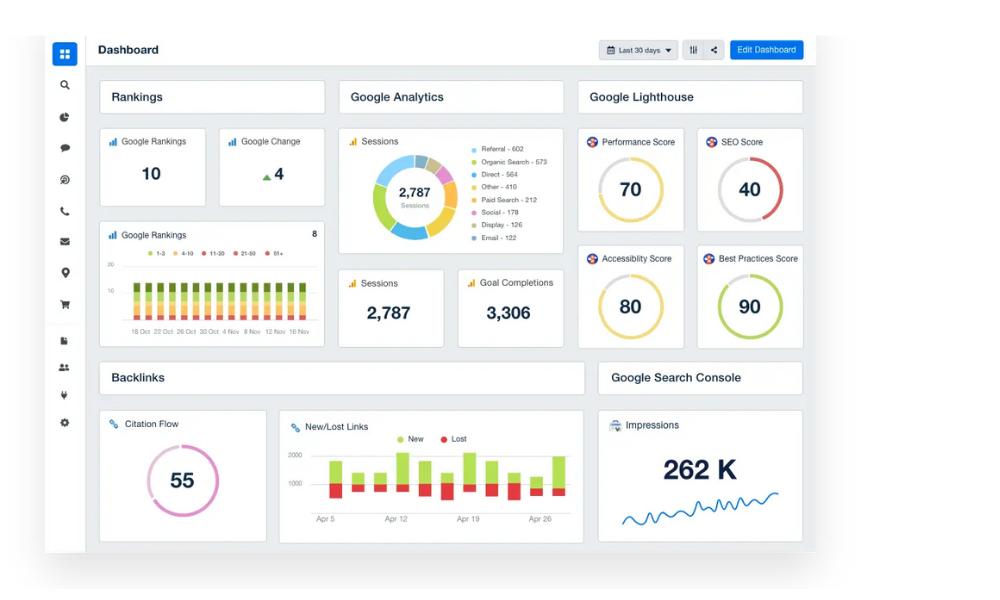
If you’ve ever opened an SEO audit report and felt like you were reading a mix of code, warning signs, and cryptic tech jargon—welcome to the club.
I’ve worked with enough audit reports to tell you this: they’re not as scary as they look. Once you know what to look for, you’ll start seeing patterns, quick wins, and yes—those hidden SEO landmines waiting to tank your rankings.
What You’ll Learn in This Post
- The real reason SEO audits matter (hint: it’s not just “health checks”)
- What each section of the report actually means
- How to spot high-priority issues vs. “meh” ones
- What to fix first—and how to explain it to your team or clients
- Tools and tricks I personally use to make sense of it all
So…What Is an SEO Audit Report, Really?
Let’s clear this up first.
An SEO audit report is like a report card for your website’s technical and content performance. It tells you where you’re acing, and where Google is quietly shaking its head.
I dig deeper into the purpose of SEO audits here, but in short: these reports scan your site for problems that affect search visibility and user experience. Think broken links, slow pages, duplicate titles—you get the idea.
The Anatomy of a Typical Audit Report (Without the Scare Factor)
SEO audits usually fall into five categories. Here’s how I break them down for clients:
Technical Errors
- 404 or 500 errors
- Broken internal links
- DNS/server issues
- Sitemap or robots.txt problems
- Redirect loops and chains
My tip: If your site throws a 404, Google sees it. And bounces off it. Fast.
On-Page SEO Issues

- Missing or duplicate meta titles/descriptions
- Empty ALT text on images
- Thin or duplicated content
- Low word count warnings
- Missing H1s
These are usually the fastest wins. You can fix 90% of them with a decent content editor and some coffee.
Link Health
- Broken external links
- Nofollow attributes in internal links
- Toxic backlinks (depends on the audit tool)
External links break all the time. If you’ve been blogging for more than a year, check your outbound links now.
Performance & Speed
- Uncached or unminified JS/CSS
- Slow HTML load time
- Large image files
- Mobile speed issues
- Core Web Vitals (LCP, CLS, INP)
Not all speed issues need a dev. Compressing images and using lazy loading can give your pages a noticeable boost.
For a deeper breakdown, my SEO audit checklist covers each of these in more detail.
Indexing & Crawlability
- Pages blocked by robots.txt
- Pages not in sitemap
- Orphaned pages
- Crawl depth warnings
If Google can’t crawl your site properly, it’s like writing a novel and hiding it under your bed.
Prioritizing the Fixes: What’s Urgent, What’s Not
You don’t have to fix everything today.
Here’s how I rank them:
| Priority Level | Typical Issues | Fix Time |
| High | Server errors, broken links, noindex tags | Immediate |
| Medium | Duplicate content, ALT text, redirects | 1–2 weeks |
| Low | Crawl depth, long URLs, low HTML ratio | Later (but still!) |
And if you’re short on time or sanity, I’ve created a simple framework for performing audits in phases. It’s part of my Full SEO Audit Guide.
Common Mistakes I See When People Read SEO Audits
- Freaking out over minor warnings
Not every warning is a red flag. Some are just reminders. - Fixing without understanding cause
Redirecting a broken page won’t help if your CMS is auto-generating bad URLs every time. - Ignoring performance scores
Speed does affect rankings. Google has said it out loud.
If you’ve already fallen into one of these traps—don’t sweat it. That’s why I wrote Common SEO Audit Mistakes to help sort out the noise.
Tools I Trust (And Actually Use)
Some audit tools throw more red than a traffic light. These are my go-to’s:
- Screaming Frog (great for technical audits)
- Google Search Console (must-have for crawl and indexing data)
- Ahrefs or SEMrush (for backlink checks and on-page audits)
- Sitebulb (for nerdier visualizations)
Need a side-by-side comparison? I broke down the pros and cons in this post on SEO audit tools.
How I Translate Reports into Actionable Workflows
No one likes a 50-page PDF that says, “You’ve got problems.” I simplify reports for clients by:
- Creating action plans by priority
- Assigning fixes to dev/content teams
- Setting up re-audit timelines
- Using visual tools (yes, even color-coded Google Sheets)
For client presentations, I also use a version of this format covered in How to Communicate SEO Audit Results.
Read the Report Like a Map, Not a Verdict
A good audit isn’t about “pass or fail.” It’s a diagnostic. It tells you what’s slowing your growth and where opportunity hides.
Yes, the language can be weird. Yes, the reports can feel like they were written by a robot with anxiety.
But once you know how to read between the warnings, they become super useful.
And if nothing else, they’re a great way to finally understand why your “Contact Us” page hasn’t ranked in two years.