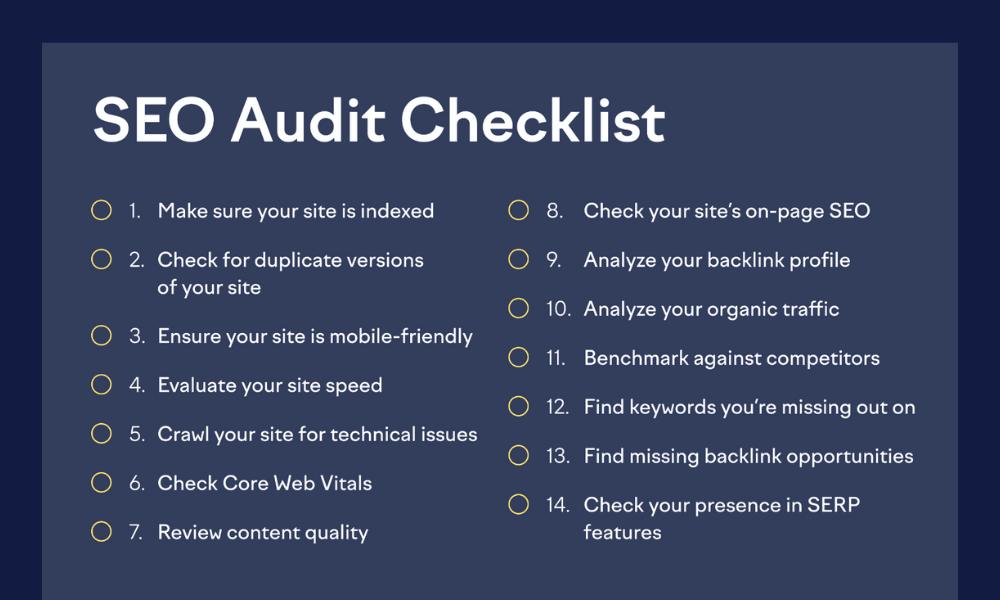
If your website isn’t showing up where it should—or worse, traffic is flatlining—there’s a good chance something under the hood is broken. A quick surface-level scan won’t cut it. What you need is a full diagnostic: a proper audit.
I’ve been running site audits for over 9 years, and I’ve learned one thing—guesswork doesn’t work. You need a repeatable process, clear tools, and a checklist that cuts through the noise. That’s what you’ll get here.
Let’s walk through the exact steps I use to uncover technical issues, content gaps, and performance bottlenecks—all without sending your site into panic mode.
Quick Glance: What You’ll Learn
- How I prep before touching a single page
- What I look for in crawl issues and slowdowns
- My go-to checks for on-page and content health
- Tools I actually trust and use
- What not to do unless you enjoy tanking your traffic
1. Before the Audit: Stack Your Toolkit
First things first—get your essentials ready.
- Set up Google Search Console and Bing Webmaster Tools
- Connect your GA4 property and verify that it’s tracking correctly
- Load up tools like Screaming Frog, Sitebulb, or your crawler of choice
- Always back up your site before making changes (you’ll thank me later)
Also, define what you’re trying to fix. Is your site invisible in search results? Are pages slow to load? Are visitors bouncing faster than you can say “exit intent”? Know your goals first.
Related: What Is an SEO Audit? Why It’s Crucial for Growth
2. Crawl and Visibility Check

Before worrying about rankings, make sure search engines can see your pages.
- Confirm your robots.txt file isn’t blocking important paths
- Use the URL Inspection Tool in GSC to verify crawl status
- Check for “noindex” and canonical tag issues
- Review your XML sitemap—keep it clean, and remove broken or outdated links
If bots can’t crawl your content, it won’t rank—no matter how good it is.
3. On-Page Checks: Titles, Tags, and Logic
You’d be surprised how many sites I audit with duplicate titles across a dozen pages. Or worse—missing meta descriptions entirely.
Here’s what I check:
- Unique, compelling title tags (yes, people do click based on that)
- One H1 per page, followed by clear H2s and H3s
- Keyword placement that sounds natural—no one wants to read robotic copy
- Short, readable URLs that reflect page topics
Also, review your alt attributes and media file names. Search engines can’t see your images unless you tell them what they’re about.
4. Content Depth & Intent Alignment
Content can’t just exist—it needs to serve.
Ask:
- Does this page solve a problem or answer a question?
- Is it targeting the right search intent?
- Is the content up-to-date, well-structured, and useful?
If I find duplicate or “thin” pages, I either consolidate or retire them. No one wants to read a 300-word post pretending to compete in a 2,000-word SERP.
Related: Using SEO Audits to Fuel Your Content Strategy
5. Linking Structure: Don’t Let Good Pages Get Lost
Internal linking is how your site tells search engines, “Hey, this page matters.”
I check for:
- Orphaned pages (pages with no incoming internal links)
- Broken links (we all hate dead ends)
- Meaningful anchor text that actually explains where it’s pointing
Bonus tip: breadcrumbs help both users and bots understand your structure.
Related: How to Read and Understand an SEO Audit Report
6. Mobile Experience: Not Optional Anymore
With mobile-first indexing, a poor experience on smaller screens can ruin your rankings—even if everything else is perfect.
I test real devices (not just emulators) and look for:
- Font sizes that won’t make readers squint
- Tap targets that don’t require surgical precision
- No overlapping content or weird cutoffs
- Menus that actually open and work
It doesn’t have to be fancy. It just has to work.
7. Site Speed and Core Web Vitals
Slow pages hurt both rankings and conversions. And no one waits for a spinning loader anymore.
My speed checks include:
- PageSpeed Insights and WebPageTest for detailed diagnostics
- Image compression and next-gen formats like WebP
- Lazy loading for images and embedded content
- Reducing render-blocking resources (CSS/JS)
- Reviewing your Core Web Vitals: LCP, FID, CLS
These aren’t just buzzwords—they directly affect how Google scores your site.
Related: Technical vs. Content SEO Audits
8. Indexing, Robots, and Sitemap Review
This section’s often skipped—but it shouldn’t be.
What I look for:
- Clean sitemap.xml that only lists index-worthy URLs
- No mixed signals: don’t say “index this” in one tag and “don’t” in another
- Robots.txt should allow access to key resources (like JavaScript and CSS folders)
Think of this step as your site’s “instruction manual” to search engines.
Related: How Often Should You Run an SEO Audit?
9. Structured Data: Add Context, Not Clutter
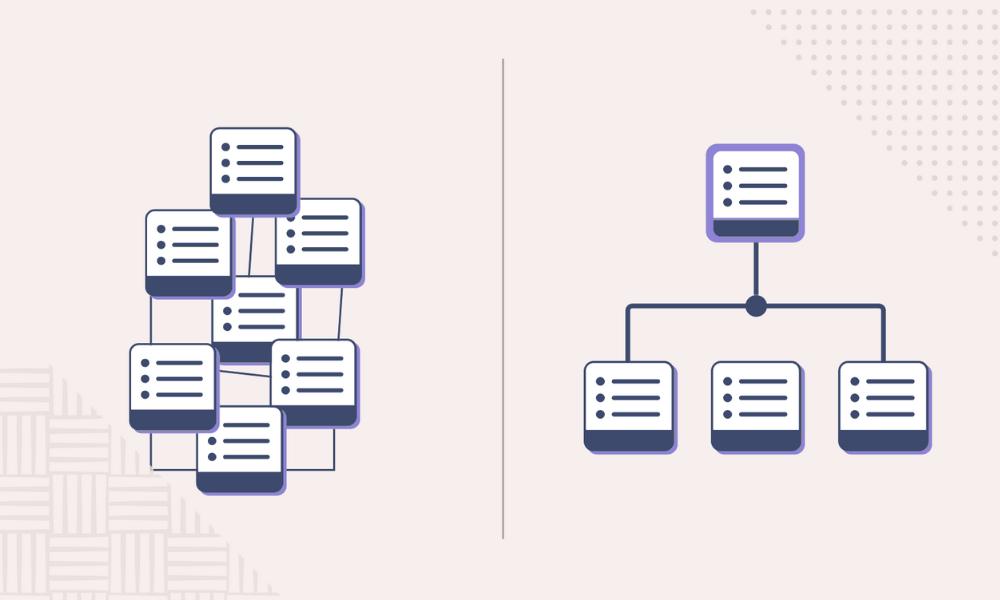
Schema helps your content appear in rich results, like FAQs, product info, or reviews.
I typically validate:
- Article schema on blogs
- Product or Review schema on eCommerce pages
- FAQ schema (only if it’s actually answering questions)
- Clean JSON-LD without duplication or errors
Tools like Google’s Rich Results Test or Schema Markup Validator come in handy here.
10. Analytics & Tracking Setup
You can’t improve what you can’t measure.
I double-check:
- GA4 setup (yes, again—it’s that important)
- Connection between GA and Search Console
- Proper event tracking (like form submissions, downloads, etc.)
- Goals aligned with business outcomes, not just pageviews
Related: KPIs to Track in Your SEO Reporting Process
11. Tools I Actually Use
You don’t need every tool on the internet. Just a few good ones you understand.
My usual stack:
- Screaming Frog – best for site crawls
- Semrush – great for keyword, backlink, and audit reports
- Ahrefs – strong for link profiles and content gaps
- GSC & GA4 – non-negotiable basics
Check this out: Top SEO Audit Tools and How to Use Them
12. Common Mistakes I See Way Too Often
Let’s save you some pain:
- Running a crawl and assuming that’s an audit
- Ignoring mobile testing altogether
- Leaving crawl budget-sucking paginated archives unchecked
- Over-optimizing metadata (seriously, Google’s not impressed)
- Not documenting what you changed—this makes fixing future issues harder
Read more: Common SEO Audit Mistakes and How to Fix Them
13. Wrapping It All Up (With an Actual Plan)
A real audit ends with action steps. I always break things down into:
- Urgent issues (fix ASAP or lose rankings)
- Mid-priority (fix these next sprint)
- Nice-to-haves (great if time/budget allows)
And yes, I deliver reports that people can understand—no “server-side rendering latency resolution compliance flags.”
Want to go deeper? Read this: How to Perform a Full SEO Audit in 2025
Final Thought
A website audit isn’t a one-time event. It’s an ongoing checkup—like an oil change for your digital presence. Whether you’re maintaining a small business site or an enterprise platform, taking the time to run through a proper checklist can mean the difference between steady growth or SEO stagnation.
If your last audit felt like poking in the dark, use this guide as your flashlight. Or drop me a message—I’m always up for digging through site issues and making things better.