
Before I dive into a full-blown audit, I rely on one thing above all: my toolkit. SEO audit tools aren’t luxury add-ons—they’re the engine. They help me spot technical potholes, redirect disasters, and crawling chaos before things go south. Trust me, doing this manually is like mowing a football field with scissors.
What You’ll Learn
Here’s a quick look at what you’ll walk away with:
- My go-to tools for site audits—what they’re good for and what they’re not.
- How I use them step-by-step without wasting time.
- Which ones I trust for speed checks, link issues, indexing, and content duplication.
- Pro tips I’ve learned (often the hard way).
- Mistakes to dodge if you’d like to keep your sanity and your rankings.
Why SEO Audit Tools Matter
Think you can skip tools and “just eyeball it”? I’ve seen that movie. Doesn’t end well.
Audit tools catch what your browser can’t. They dig up broken links, crawl traps, and indexing errors that could quietly tank your rankings. If you’re not regularly checking your site’s health, you’re probably bleeding traffic without even knowing it.
I go deeper into this in What Is an SEO Audit? if you want the full breakdown.
Choosing the Right Tool for the Job
Here’s the truth: not every tool fits every situation. I pick based on:
- Website size: Enterprise? I lean into Sitebulb or DeepCrawl. Blog? Screaming Frog.
- Budget: Plenty of solid free options (thank you, Google).
- Goal: Need backlink data? Ahrefs. Want Core Web Vitals? PageSpeed Insights.
- Team skill: Visual interfaces (like SEMrush) help non-technical teams.
Also, if you’re juggling multiple tools and still not getting answers, you might need a checklist like this one.
1. Google Search Console (Free, and Non-Negotiable)
This is always my first stop. It tells me:
- What’s indexed—and what’s not.
- Search terms that are driving impressions.
- Mobile usability.
- Page Experience issues.
I sync this with other tools to cross-verify what’s going wrong (or right). For a deeper dive, check out my Search Console reporting guide.
2. Screaming Frog (The One Tool I Can’t Live Without)
If Google Search Console is my GPS, Screaming Frog is my x-ray machine.
I use it to:
- Hunt down redirect chains
- Identify duplicate titles, meta issues
- Find broken internal and external links
- Check robots.txt and meta robots directives
Pro tip: I load my crawl data into Excel, filter by status codes, and it’s game on.
3. Ahrefs (My Backlink & Audit Combo Tool)
Ahrefs helps me:
- Audit technical SEO (health scores, issues by category)
- Analyze internal linking
- Check keyword cannibalization
- Spy—uh, research competitors’ backlinks and top pages
Bonus: I sometimes compare Ahrefs vs. GSC indexing discrepancies. It reveals crawl waste areas or rogue orphaned pages.
4. Semrush Site Audit (For Teams & Clients Who Like Charts)
I use Semrush when I’m working with content teams or clients who love visuals. Their audit tool gives:
- Issue categorization (Errors, Warnings, Notices)
- Historical tracking
- Internal linking advice
It also plays well with GSC and GA—saves me time on reporting.
5. Google PageSpeed Insights (The Speed Therapist)
Here’s where I test real-world speed and Core Web Vitals. I don’t just look at LCP, FID, and CLS—I sort them by device and location.
The suggestions? They’re not always practical—but I know which ones to ignore and which to prioritize (hint: image size and lazy loading).
6. Sitebulb (Client-Friendly & Visual-Heavy)
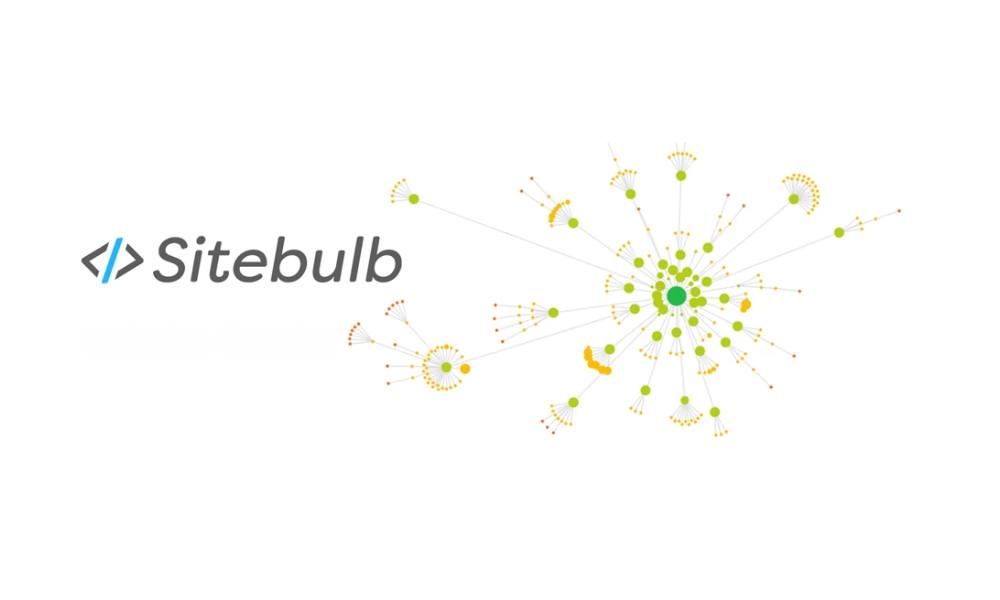
Sitebulb is perfect when I’m onboarding a new site or client.
Why? Because:
- The audit visuals make technical issues easier to explain.
- I can set “Hints” to prioritize what matters most (especially when devs are busy).
- It integrates schema validation and crawl maps beautifully.
I also recommend it in my technical vs. content audit comparison.
7. Honorable Mentions (Tried. Tested. Sometimes Useful.)
A few more I keep in my back pocket:
- SEO Site Checkup: Great for quick reviews.
- GTMetrix: Clean UI, good for client screenshots.
- Surfer SEO: I use it when optimizing individual pages post-audit.
- Seomator: A solid all-in-one, especially for budget-conscious users.
How I Actually Use These Tools (Not Just Run and Forget)
Here’s my real process:
- Crawl with Screaming Frog.
- Use GSC to verify indexing and performance issues.
- Pull site speed data from PSI.
- Feed it all into Semrush or Ahrefs for reporting and internal link analysis.
Then, I sort errors by impact and effort required. Low effort, high impact fixes go first.
For the full playbook, my complete audit guide walks through the steps.
Pro Tips I’ve Picked Up Over 9 Years
- Create crawl filters in Screaming Frog for instant win pages.
- Use GSC’s “missing pages” warning as a signal for broken internal links.
- When PSI says defer JS… don’t panic. Test async first before removing scripts.
I also built a repeatable template if you’re into process automation.
Mistakes I See (Too) Often
Let me save you from painful rework:
- Relying on one tool (don’t).
- Ignoring sitemap issues (fix them).
- Overlooking mobile-first metrics (yes, that still happens in 2025).
You’ll find a few more gotchas (and how to fix them) in my SEO audit mistakes guide.
Final Thoughts
You don’t need all 19 tools listed on every SEO blog. (Seriously, don’t.)
Pick 2–3 that fit your workflow. Learn them well. And don’t just run reports—act on them.
Need a full breakdown of what to do with all that data? I’ve explained how to read and report SEO audit results in plain English.
You can start with a free tool like GSC or PSI. Just promise me one thing: you’ll actually use them, not just screenshot them into a dusty PDF.