


If you’re relying solely on interest targeting or broad demographics in your ad campaigns, you’re missing the most scalable targeting tool Meta offers: lookalike audiences.
Lookalikes are how I’ve helped brands move from “some results” to consistent sales at scale—without guessing who to target. They take what already works (like your best customers) and multiply it.
In this guide, I’ll walk you through exactly how I build, test, and scale using lookalike audiences inside Meta Ads Manager.
What You’ll Learn:
- What lookalike audiences are and how they work
- How to build source audiences the right way
- What percentage sizes to test and when
- How I structure ad sets for clean testing
- What to avoid when using lookalikes
- Smart lookalike strategies for ecommerce, lead gen, and service brands
- How to optimize and scale what performs
Let’s get into it.
1. What Is a Lookalike Audience?
A lookalike audience is a group of users on Facebook or Instagram who “look like” your best existing audiences—based on behavior, interests, and demographics.
You start with a source audience:
- Website visitors
- Email list
- Customers
- People who watched your video
- Lead form submissions
Then, Meta finds users with similar traits and builds a cold audience that behaves like your warm one.
Think of it as cloning your best prospects—without manually targeting.
2. Start With a Strong Source Audience
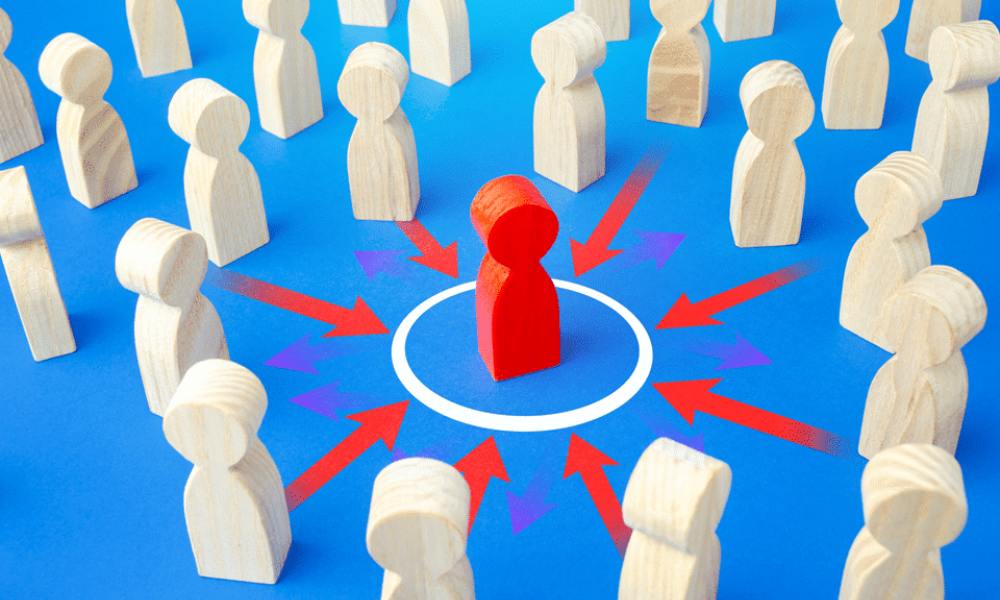
The performance of a lookalike depends entirely on the quality of the source audience.
Your best options:
- High-value purchasers
- Email subscribers with a high open rate
- People who added to cart but didn’t purchase
- Users who completed a lead form
- Top 25% video viewers
Aim for at least 100 people, but 1,000+ is ideal. More data = better lookalikes.
If you’re not capturing this data yet, set up proper event tracking with this Facebook ad setup guide.
3. Choose the Right Percentage Size
When creating a lookalike, you’ll be asked to select a percentage. This defines how similar (and how broad) the audience is.
Here’s how I break it down:
- 1% = Most similar, highest quality (roughly 2.5M people in the U.S.)
- 2–3% = Slightly broader, still high match rate
- 5%+ = Broad reach, lower similarity (use only for scale)
Start with a 1% and expand once you’ve validated performance. I rarely go above 3% unless I’m spending big or layering additional filters.
4. Always Exclude the Source Audience
A common mistake? Forgetting to exclude the source audience from your lookalike.
Why it matters:
If you’re targeting both, you’re likely overlapping your warm and cold traffic—which wastes impressions and inflates costs.
Create an exclusion custom audience (your original source), and apply it to your lookalike ad set. This keeps each audience clean.
5. Test One Lookalike at a Time
Lookalike audiences are powerful—but only if you know what’s actually working.
My testing structure:
- One campaign
- Multiple ad sets
- Each ad set = one lookalike source (1% each)
- Same ad creative across all ad sets
This isolates performance. After 3–5 days, pause what’s underperforming, and scale what converts.
Then you can test 2%, 3%, or combine lookalikes into a broader ad set.
6. Combine With Interest or Demographic Filters (Optional)
Sometimes, a lookalike on its own is too broad for niche products or services.
You can narrow it by layering:
- Age range
- Gender
- Language
- Device type (mobile vs desktop)
- Geographic regions
- A few key interests (but don’t overdo it)
This works well for local businesses, high-ticket services, or niche eCommerce brands.
If you’re not sure who to target beyond lookalikes, use this audience targeting guide.
7. Lookalike Strategy by Business Type

Not all lookalikes are created equal. Here’s what I’ve used across different industries:
Ecommerce:
- 1% purchasers
- 1% add-to-cart
- 2% top LTV customers
- Combine with product feed dynamic ads
Lead Gen:
- 1% form submissions
- 1% page views + 1% time-on-site
- Exclude current leads
Local / Service-Based:
- 1% engaged with IG or FB page
- 1% customer list
- Narrow by ZIP code or service area
You can get even more advanced by stacking lookalikes with retargeting strategies.
8. Monitor, Optimize, and Refresh Regularly
Lookalikes aren’t fire-and-forget. They perform best when you:
- Refresh the source audience every 30–60 days
- Check overlap across ad sets
- Monitor frequency and relevance
- Swap creative as fatigue sets in
- A/B test new source segments as your customer base grows
And yes—always watch cost per result and ROAS. That’s how you know if it’s working.
Want help improving performance post-launch? Use this optimization checklist.
9. Don’t Skip Lookalikes for Top-of-Funnel Campaigns
Lookalike audiences work best at the top of the funnel. These are cold users who are likely to engage based on behavior—not guesswork.
Use them in:
- Traffic campaigns
- Video views or engagement ads
- Add-to-cart objectives
- Awareness with value-first creatives (tips, testimonials, demos)
Then retarget those engagers with warmer, conversion-focused offers. (More on that in this full-funnel strategy guide.)
Final Thoughts
Lookalike audiences aren’t a shortcut—they’re a strategy.
They let you scale with precision. No need to reinvent targeting from scratch when Meta can find more of your best people—at scale, and at speed.
Here’s what I recommend:
- Start small (1%) and test
- Use quality source data
- Exclude overlapping audiences
- Optimize and refresh regularly
- Layer when needed, but don’t overcomplicate
If you’re not sure which source to start with, send over what you’ve got. I’ll help you choose what to build first.



