


If you’ve ever wondered whether your content is fully optimized or if you’re just throwing keywords at a wall to see what sticks—you’re in the right place.
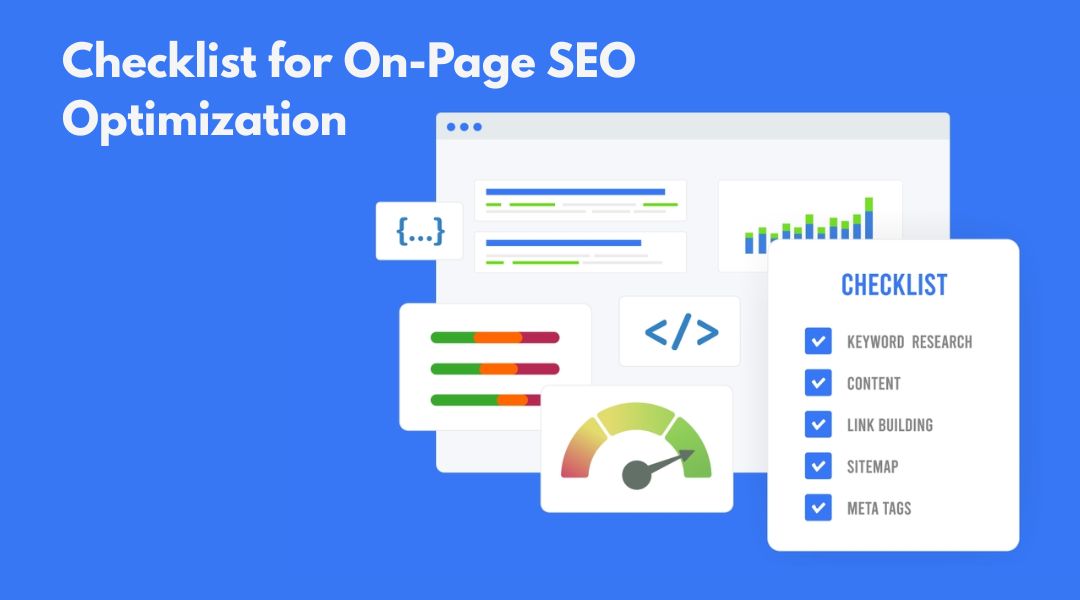
This is my ultimate on-page SEO checklist for 2025, built from real-world practice, not theory. Whether you’re optimizing a new page or improving an existing one, this list keeps me—and now you—on track, every time.
Let’s be honest: on-page SEO isn’t complicated. It’s just easy to skip steps when you’re in a rush. This checklist fixes that.
What You’ll Get From This Checklist
- A practical, repeatable workflow for optimizing any page
- Clear tasks covering meta tags, content, headers, and technical basics
- Natural ways to improve both visibility and user experience
- Smart linking strategies that support your overall site structure
If you’re new to this topic, start with my beginner’s guide to on-page SEO before diving in.
Page Setup & Technical Essentials
Use a Clean, Readable URL
I keep URLs short, lowercase, and keyword-focused. No strange symbols, no unnecessary dates.
Example:
Good: mkh.llc/on-page-seo-checklist-2025
Bad: mkh.llc/2025/03/18/optimize-your-page-right-now-final-2.html
Make Sure the Page Is Indexable
It sounds obvious, but you’d be shocked how many sites block their own content with a rogue noindex tag.
Use HTTPS (Always)
If your site still doesn’t use HTTPS in 2025… let’s just say Google isn’t the only one judging you.
Meta Tags That Actually Get Clicks
Write a Clear Title Tag (Under 60 Characters)
It should include your primary topic and make someone want to click.
Need help? I explain this further in my post on meta tag optimization.
Add a Meta Description (150–160 Characters)
It won’t improve rankings, but it will improve clicks. Think of it as a one-sentence sales pitch. And yes, Google rewrites them sometimes—but write yours anyway.
Use Canonical Tags Properly
If there are duplicate versions of a page (like www vs non-www), I add a canonical tag to point search engines to the preferred version.
Content Optimization for Humans and Search Engines

Target a Specific Search Intent
Before I write or optimize a page, I ask: what does the visitor actually want from this?
Is it information? A product? A comparison? I align the page accordingly.
Place Keywords Naturally (Don’t Overdo It)
I include the target keyword:
- In the title
- In the H1
- In the first 100 words
- Once or twice in the body and headings
And then I stop. If it feels forced, it probably is.
For more on this, see my post on proper keyword placement.
Write for Readability
Short paragraphs. Clear sentences. Helpful subheadings.
I also throw in bullet points and lists where it makes sense—like this one.
Keep the Content Focused
No one visits a guide on SEO headers to read about your office dog. Stay on topic. Every paragraph should move the reader forward.
Headers and Structure That Make Sense
Use One H1—Just One
Your page title and H1 can be nearly identical. They signal the main topic to both users and bots.
Structure the Rest with H2s and H3s
H2s for main sections, H3s for supporting points.
Clean structure makes the page scannable and easier for Google to understand.
I’ve written more about this in my guide to header tags and readability.
Internal & External Links
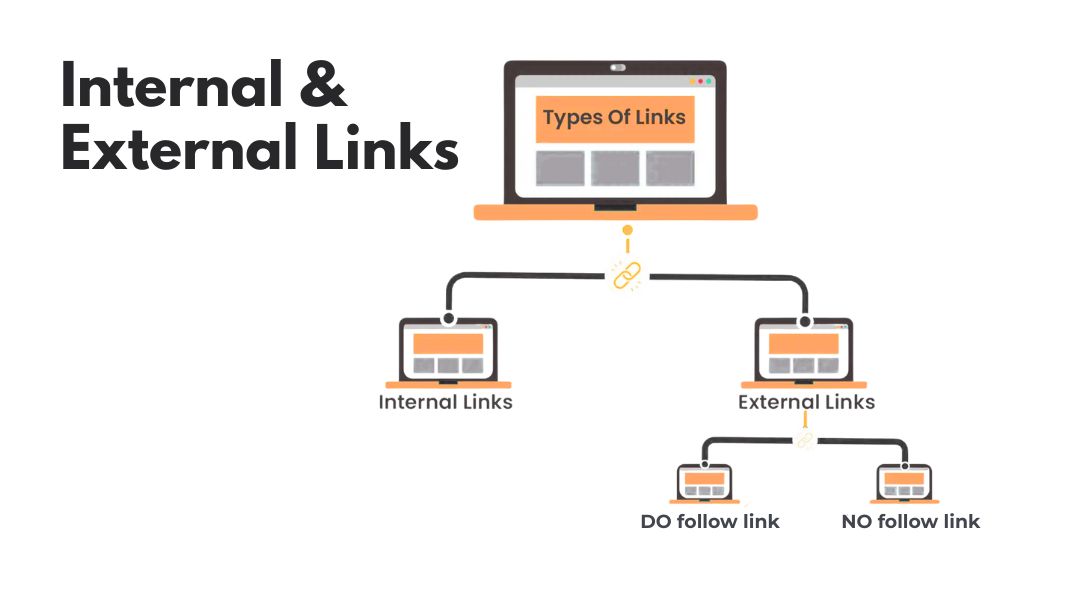
Add 2–3 Internal Links to Relevant Pages
I use links naturally, like this mention of content structure for SEO.
Don’t overthink it—just connect useful dots for your readers.
Use Descriptive Anchor Text
Instead of “click here,” I use phrases that reflect what the link is about. Bonus: Google likes this too.
Include a Few External Links (If Relevant)
I link to trustworthy sources when it adds value. Not for filler. Just enough to signal that the page is connected to the broader web.
Images and Media
Use Optimized, Compressed Images
No 4MB images, please. I compress images before upload, use modern formats (like WebP), and make sure they don’t break the layout.
Add Descriptive Alt Text
Alt text isn’t just for accessibility—it also helps with image SEO and adds context for search engines.
Use Captions When Needed
Captions help anchor the meaning of an image. I don’t use them everywhere, but they’re great for context when it matters.
Mobile, Speed & UX

Make Sure the Page Is Mobile-Friendly
I test on real devices, not just desktop. If text is hard to read or buttons are too small, I fix it immediately.
Test Page Speed
I run it through tools like Google PageSpeed Insights or GTmetrix.
Slow site = lower rankings + higher bounce rate. That’s not a good trade-off.
Final Checks Before Publishing
Proofread and Read Aloud
I catch the weirdest things when I read content out loud. If I trip on my words, chances are my readers will too.
Check for Duplicate Content
If the content feels too close to another page, I rewrite or merge. Internal competition helps no one.
Preview the Snippet in SERPs
I use tools or plugins to preview how my title and description look in Google. If it looks boring or gets cut off, I tweak it.
Ongoing Optimization After Publishing
Monitor Performance in Search Console
I keep an eye on impressions, clicks, and queries. If a page is ranking for terms I didn’t expect, I may reoptimize to support those keywords.
Refresh the Content Periodically
If a page is more than 6–12 months old, I revisit it. Update outdated data. Add new internal links. Reassess what’s working and what’s not.
I talk more about performance-driven updates in my post on balancing SEO with user experience.
My Final Word on On-Page SEO Checklists
A checklist won’t do the work for you. But it will keep you focused, organized, and consistent.
I use this process myself every week—because skipping steps isn’t just lazy; it’s expensive in lost traffic.
If you want to build pages that rank, convert, and actually serve your audience, start here. Bookmark it. Adapt it. Use it again and again.
And if you’d rather someone else handle it, that’s what I do every day.



