
Ever feel like your site should be ranking higher, but you’re not sure why it isn’t?
I’ve been there—and I’ve worked with plenty of businesses who had solid content, a decent backlink profile, and still struggled in search. Nine times out of ten, the issue is on-page SEO.
That’s why I treat on-page SEO audits as my go-to starting point. They help uncover hidden problems, fix missed opportunities, and set the foundation for real growth.
In this post, I’ll walk you through exactly how I audit a website for on-page SEO issues—step by step.
What You’ll Learn:
- What an on-page SEO audit actually checks for
- Tools I use (and the free ones that still get results)
- Key areas I review on every page
- My full audit checklist so you can do it yourself
If you’re new to on-page SEO, you might want to read my foundational guide before diving in.
Why an On-Page SEO Audit Is a Game Changer
You can’t improve what you can’t see. And that’s exactly what an audit gives you: visibility into what’s working—and what’s not.
A proper on-page SEO audit can help you:
- Identify and fix technical issues
- Uncover content gaps or mismatched intent
- Boost underperforming pages with simple tweaks
- Improve how your site is crawled and indexed
And no—you don’t need an enterprise SEO suite to get started.
Step 1: Crawl Your Website

The first step is running a site crawl to get a high-level view of your pages, errors, and structure.
Tools I Use:
- Screaming Frog SEO Spider (desktop-based, free for up to 500 URLs)
- Ahrefs Site Audit or Semrush Site Audit
- Google Search Console (for indexing and crawling issues)
From a crawl, I look for:
- Broken links (404 errors)
- Duplicate title tags or meta descriptions
- Missing H1 tags
- Pages blocked by robots.txt
- Orphaned pages with no internal links
It’s like scanning a car before opening the hood.
Step 2: Review Title Tags and Meta Descriptions
These are the first things users see in search, so they need to be sharp.
For each page, I check:
- Is there a unique title tag?
- Is it under 60 characters?
- Does it include the target keyword naturally?
- Does the meta description accurately reflect the page and stay under 160 characters?
Need help writing better titles and descriptions? This guide covers my full approach.
Step 3: Check H1 and Header Tag Structure
Each page should have one—and only one—H1 tag.
Then use H2s and H3s to create structure.
What I look for:
- Does every page have an H1?
- Are H2s used consistently to break up sections?
- Are there keyword opportunities in headings?
- Any misuse of H1s as design elements (common issue)?
You can learn more about how I use header tags in this post.
Step 4: Assess Content Quality and Intent Match
Even technically optimized pages won’t rank if they don’t meet the searcher’s expectations.
I ask:
- Is the content aligned with the keyword’s intent (informational, transactional, etc.)?
- Does it answer the query clearly and completely?
- Is it updated, readable, and easy to scan?
- Are there any thin or duplicate content issues?
Need help identifying quality gaps? Here’s how I evaluate content.
Step 5: Evaluate Internal Linking
Internal links help Google crawl your site—and help users find more of your content.
I check:
- Are key pages internally linked from other pages?
- Are links placed contextually, not just in menus or footers?
- Is anchor text descriptive (no “click here”)?
- Any orphaned pages with zero links pointing to them?
Want a guide on building strong internal link structure? This article covers it.
Step 6: Review Keyword Usage and Placement
Keyword optimization isn’t about cramming terms into every paragraph. It’s about placing them where they matter most.
I review:
- Is the primary keyword in the title, H1, first paragraph, and at least one subheading?
- Are keywords used naturally throughout the content?
- Are LSI terms and variations included for context?
Want my full process? Here’s how I use keywords effectively on-page.
Step 7: Audit Image Optimization

Images can help or hurt your SEO depending on how they’re handled.
What I look for:
- Are images compressed (small file size)?
- Are alt text descriptions relevant and keyword-friendly?
- Are filenames descriptive (not just “image1.jpg”)?
- Do images add value or just fill space?
Optimized images can even generate traffic from Google Image Search.
Step 8: Mobile and Core Web Vitals Check
User experience is a ranking factor. And page speed and mobile usability matter.
Tools I Use:
- Google PageSpeed Insights
- GTmetrix
- Chrome DevTools (for mobile responsiveness)
I check:
- Does the page load in under 3 seconds?
- Is it mobile-friendly?
- Are fonts readable and buttons tappable?
- Any layout shifts during loading?
This isn’t just about SEO—it’s about not losing visitors before they even read your content.
Step 9: Indexing & Coverage Check (Google Search Console)
Google Search Console gives you real-time data on how your pages are performing in search.
In the Coverage and Pages sections, I check:
- Are any important pages excluded from indexing?
- Are canonical tags used properly?
- Are there crawl errors, redirects, or soft 404s?
- Is there any index bloat (e.g., hundreds of low-value pages indexed)?
I clean up or block anything that’s hurting crawl efficiency.
Step 10: Compare Top Pages vs. Underperformers
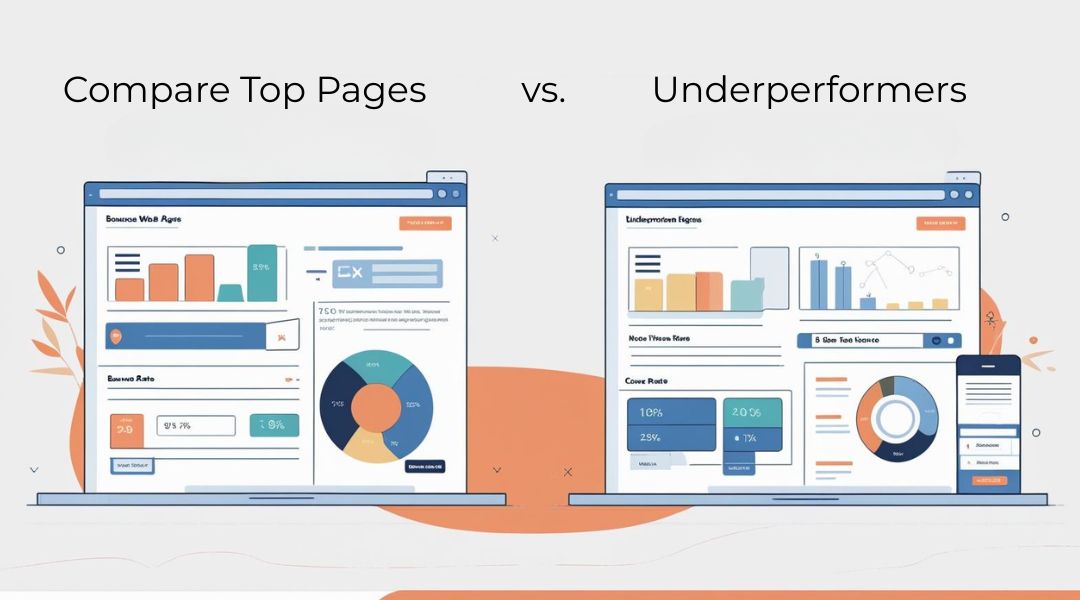
Here’s where I find the quick wins.
I look at my top 10 pages in terms of:
- Impressions
- Click-through rate
- Average position
Then I compare those to:
- Pages with high impressions but low CTR
- Pages with rankings but no clicks
- Pages that used to perform but now lag
This shows me which pages might just need better titles, a refresh, or stronger internal support.
My On-Page SEO Audit Checklist
Before I wrap up any audit, I go through this:
- Title tags and meta descriptions are optimized
- One H1 per page; header structure is clean
- Content matches search intent and is well-written
- Keywords are placed strategically, not stuffed
- Internal linking is clear and contextual
- Images are optimized with alt text and compression
- Page is mobile-friendly and loads fast
- All key pages are indexed (no bloat or duplication)
- Google Search Console shows no major errors
- Underperforming pages are identified for improvement
If you can check these boxes, your site is in good shape. If not, you’ve got your action plan.
Final Thoughts
On-page SEO audits aren’t just technical—they’re strategic.
They help you understand why your pages aren’t performing and give you a roadmap to fix them. Best of all?
Most of the improvements you’ll make after an audit are completely within your control.
If you’re guessing about what’s wrong with your rankings, stop.
Audit your site. Fix what’s broken. Optimize what’s underused.
And if you’d like a second pair of eyes on your content and structure—that’s exactly what I do.