Introduction
Most clients don’t speak “robots.txt.” That’s where I come in.
Communicating SEO audit results isn’t just about sending a fancy PDF. It’s about making complex data digestible, linking performance to business outcomes, and giving your client the confidence to take action. I’ve spent years refining how I present audit findings, and this guide walks you through my exact approach—no fluff, just clarity.
What You’ll Learn
- How I organize and deliver SEO audit results
- The types of data I highlight (and which I keep in my notebook)
- My favorite tools for building client-friendly reports
- The communication tricks I use to keep clients engaged and informed
I Tailor the Report to the Person Reading It
Not every client wants to know what a canonical tag is. Some just want to know why conversions dropped.
That’s why I always start by figuring out who I’m talking to. If I’m presenting to a CMO, I focus on revenue-impacting items. If it’s a developer? We go full technical.
Tip: I keep my language business-focused and only get granular when needed. No unnecessary rabbit holes.
(Need to know what an SEO audit includes before you present it? Here’s my breakdown.)
I Start With a Clear, Human Summary
The first page of my audit report answers these three questions:
- What’s working?
- What’s broken?
- What needs to happen next?
Short. Snappy. No “data dump.” If the client never reads beyond this section (and some won’t), they’ll still walk away informed.
(If you’re still building your own audit process, this full SEO audit guide might help.)
I Group Findings by Impact, Not Tool Category
Here’s what I don’t do: list 40 technical issues from a crawler and call it a day.
Instead, I break down results like this:
- High Priority (fix now or rankings will suffer)
- Medium Priority (important but not urgent)
- Low Priority (good-to-have improvements)
Each point comes with a fix and a business impact. No fluff, no guesswork.
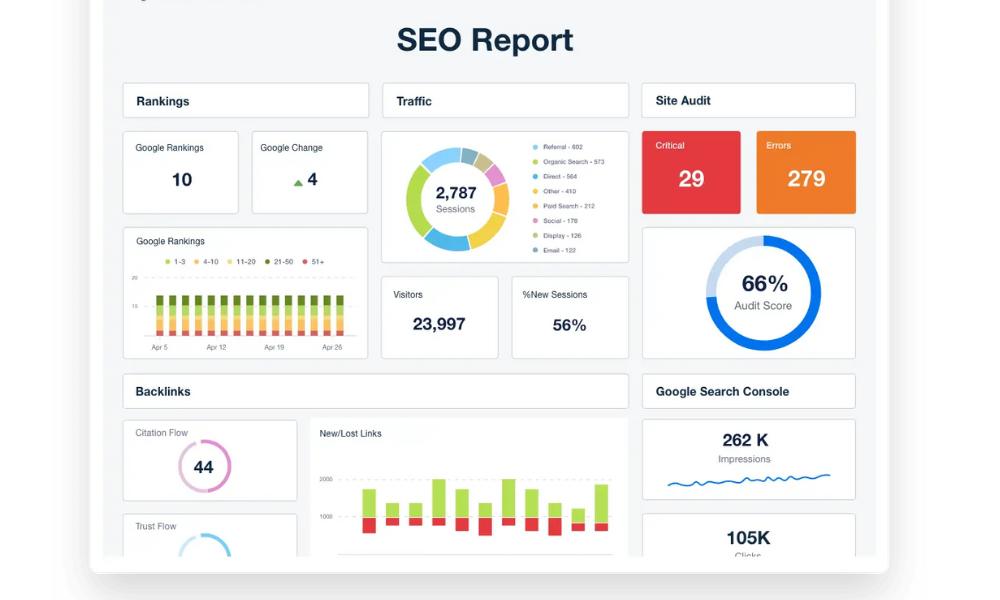
I Use Visuals, But Only the Helpful Kind
Charts, graphs, and screenshots are great—until they aren’t.
I include:
- Ranking movement graphs from SE Ranking
- Before-and-after speed metrics
- Core Web Vitals visual breakdowns
But I skip anything that looks like it belongs in a NASA control room.
Want to see my go-to tools? Here’s my SEO audit toolkit.
I Connect the Dots to Business Goals

SEO without context is noise. I make sure clients understand how each issue connects to their goals:
- Page speed ↔ Bounce rate ↔ Missed conversions
- Indexing issues ↔ Lost visibility
- Keyword cannibalization ↔ Wasted crawl budget
No jargon. Just real-world impact.
(If they ask how to read the audit, I share this explainer.)
I Offer a Prioritized Action Plan
Clients love checklists. So I give them one.
At the end of my reports, I include:
- What to fix
- Who should fix it (my team, theirs, both)
- When to do it
- Tools/resources to help
I often link to my SEO audit templates so clients can build repeatable workflows from it.
I Present the Report, I Don’t Just Email It
Reports don’t explain themselves. That’s why I schedule a 30-minute walkthrough.
During the call:
- I keep it high-level unless they ask for more detail.
- I pause after every section for questions.
- I highlight small wins (because progress boosts buy-in).
If needed, I follow up with a summary and timelines. No chasing. No confusion.
(For ongoing reports, I recommend automating. Here’s how I structure monthly SEO reports.)
I Use Tools, But I Don’t Let Them Talk Over Me
I use:
- SE Ranking for reporting automation
- Search Console for crawl/indexing feedback
- Looker Studio for long-term dashboards
I mention tools in reports when they add trust. Otherwise, I keep it focused on the “why” and the “what now.”
I Stay Proactive, Especially After the Report
Audit reports aren’t goodbye cards. I check in after 1–2 weeks to:
- See if they need help implementing fixes
- Offer support where needed
- Schedule the next mini-audit or progress review
Bonus tip? Always assume they didn’t read the report until you explained it. It’ll keep your explanations sharp.
Conclusion
My SEO audits aren’t just technical docs—they’re springboards for action.
Clear reporting helps my clients understand what’s going on, why it matters, and what comes next. It’s about building trust through communication, not just data.
If your reports aren’t landing—or your clients are ghosting your recommendations—maybe it’s time to adjust your delivery, not your data.
Need help simplifying your reporting process? Let’s talk.