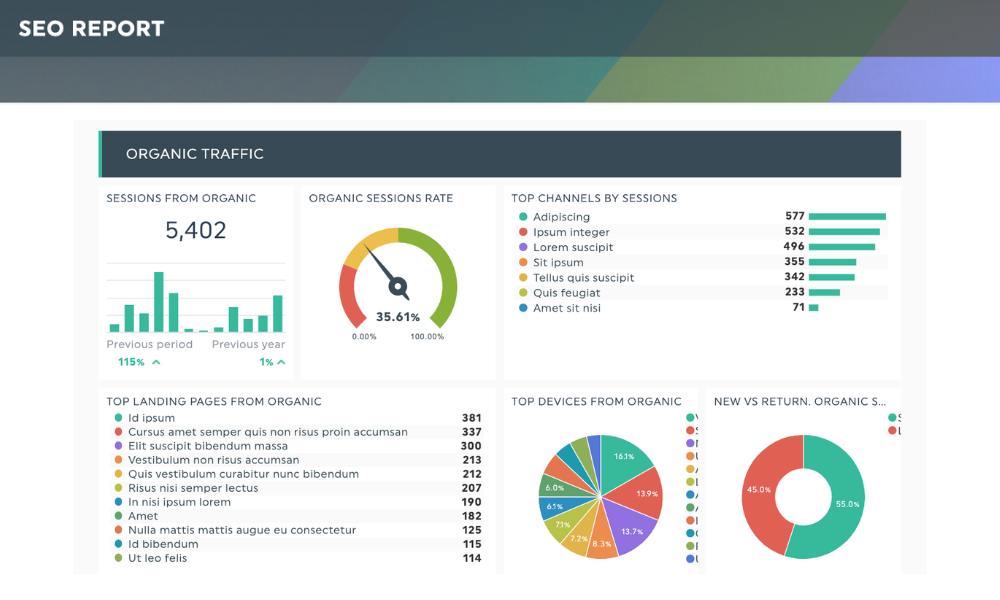
Every month, I sit down with a fresh coffee, a dashboard full of data, and one clear mission: tell the story of what happened, why it matters, and what to do next. That’s what a monthly SEO report should do—nothing more, nothing less.
Whether you’re managing client sites, running an in-house SEO program, or flying solo as a freelancer, monthly reports are your performance check-in. Not just for search engines—but for stakeholders, too.
Here’s what you’ll walk away with from this piece:
- What actually belongs in your SEO report (without overwhelming anyone).
- How I decide what data makes the cut.
- Tips to make your reports clearer, smarter, and more useful.
- A little friendly advice on how to keep things human—even with graphs involved.
Now let’s get into it—clean, focused, and jargon-light (mostly).
What I Include in Every Monthly SEO Report
(A.K.A. What People Actually Care About)
KPI Highlights
This goes right at the top. Like a punchy trailer for what’s inside. I usually include:
- Organic traffic change (month-over-month + YoY)
- Conversions (leads, purchases, downloads—whatever matters)
- Keyword ranking shifts (wins + drops, not just averages)
And yes, I mention CTR, but only when it’s interesting. If nothing happened, I move on.
If you’re just getting started with KPIs, I covered this in my SEO reporting KPI guide.
Keyword Performance (But Make It Meaningful)
This isn’t just a list of keywords. I focus on:
- Target keyword movements (priority ones)
- New opportunities: keywords that showed up but weren’t targeted
- Context: Did we publish new content? Add internal links? It matters.
I don’t throw 300 rows of rankings at clients—they won’t read them. I tell a story instead. Think: “This keyword jumped 12 spots after we refreshed the landing page. Let’s do that again.”
Technical Health Snapshot
No, I don’t paste a full crawl report here. I summarize:
- Errors fixed this month (404s, redirects, etc.)
- Core Web Vitals status
- Indexing issues (new ones or ones we solved)
This helps me show progress without overwhelming them with “Response Code: 500”.
And if you’re not sure where to start, this technical vs. content audit guide is a solid place.
Backlink Overview
Just a few bullets:
- New links gained (especially high-value ones)
- Any major links lost
- Competitor links worth investigating
Sometimes I’ll highlight one or two standout wins (“We got a dofollow from a DR 72 blog. Boom.”)
Want to really geek out on backlink tools? I broke them down right here.
Traffic by Source
Even if I’m focused on organic, I still check:
- Direct traffic (sometimes confused with branded search)
- Referral spikes (a good indicator of PR or earned links)
- Paid search vs organic (context matters!)
Also useful if organic traffic drops but paid picked up the slack—it helps control panic. Perspective saves relationships.
Top Performing Content
This section gets the most love from stakeholders. I show:
- Pages that gained the most traffic
- Content that moved the needle (especially if it’s evergreen)
- Underperformers (aka what we’ll improve next month)
This naturally feeds next month’s plan. And if you want to see how I turn SEO audits into content strategy, check this guide.
Actions Taken This Month
This is where I quietly brag (without sounding like I’m bragging). I list:
- Content updates, new pages, internal linking improvements
- Technical fixes applied
- Strategic decisions (e.g., deprioritizing a keyword cluster)
Helps stakeholders tie effort to outcome—especially when the outcome is “just stable” instead of “went viral.”
Next Steps & Priorities
Every good report should end with a roadmap:
- Where we’re focusing next
- What we’re testing or optimizing
- Dependencies (i.e., I’m waiting on dev to fix X)
It turns a report into a springboard, not just a wrap-up.
Bonus: Format Tips from My Reporting Playbook
- Keep it visual – Use simple charts, not just tables.
- Don’t go overboard – No one reads 14 pages of raw data.
- Make it scannable – Headers, bullets, short paragraphs. Like this one.
- Speak human – “Traffic’s up, rankings are stable, here’s what worked.”
I personally build reports in Google Looker Studio when needed, but a clean slide deck or spreadsheet works just as well. No need to complicate things.
Tools I Use (and Actually Recommend)
- Google Analytics / GA4 (Yeah, I’m adjusting to it too.)
- Google Search Console – Still the MVP for performance tracking.
Here’s my GSC setup guide - Ahrefs / Semrush – For keyword and link analysis
- SEOTesting – Great for monthly summaries and seeing quick wins
- Screaming Frog – For catching those hidden tech issues
If you need a full breakdown, I covered it in my SEO tools list.
Wrap-Up (Without the Clichés)
Monthly SEO reports don’t need to be long. They need to be clear, valuable, and honest. If traffic dipped, say so. If rankings improved because of work you did, celebrate that.
I’ve worked with startups, enterprise teams, and everything in between. The one thing that always lands? Reports that tell the truth and plan the future.
Make your next report more than a pile of numbers. Make it useful.