

Get in Touch

112 Capitol Trail, Suite A 361, Newark, Delaware 19711

Phone

+1 917 7958958

Email

info@mkhllc.com

Follow us

Request a quote

Blog Post

Schema Markup

What Is Schema Markup? A Beginner’s Guide to Structured Data

If the term “schema markup” makes your eyes glaze over, I get it. It sounds like a deep-tech concept reserved for developers or people who willingly read XML documentation for fun.

But here’s the deal: understanding how to help search engines better interpret your content doesn’t require coding superpowers. And what many overlook is how adding a few lines of code (or using a plugin) can make your content shine in search results—literally.

This guide breaks down what it is, why I use it on client websites (and my own), and how it can turn ordinary results into standout listings that attract clicks.

 What We’re Covering

Here’s what you’ll walk away with:

  • A plain-English explanation of this feature
  • Why adding it improves visibility (even if rankings stay put)
  • The types I trust most in my projects
  • My personal process for adding and checking it
  • Mistakes to avoid when working with this kind of enhancement
  • Tools that make the job way easier
  • Real results I’ve seen using this strategy

Let’s start with what it even is.

 What Schema Markup Actually Is

If the term “schema markup” makes your eyes glaze over, I get it. It sounds like a deep-tech concept reserved for developers or people who willingly read XML documentation for fun.
But here’s the deal: understanding how to help search engines better interpret your content doesn’t require coding superpowers. And what many overlook is how adding a few lines of code (or using a plugin) can make your content shine in search results—literally.
This guide breaks down what it is, why I use it on client websites (and my own), and how it can turn ordinary results into standout listings that attract clicks.

 What We’re Covering
Here’s what you’ll walk away with:
A plain-English explanation of this feature


Why adding it improves visibility (even if rankings stay put)


The types I trust most in my projects


My personal process for adding and checking it


Mistakes to avoid when working with this kind of enhancement


Tools that make the job way easier


Real results I’ve seen using this strategy


Let’s start with what it even is.

 What Schema Markup Actually Is
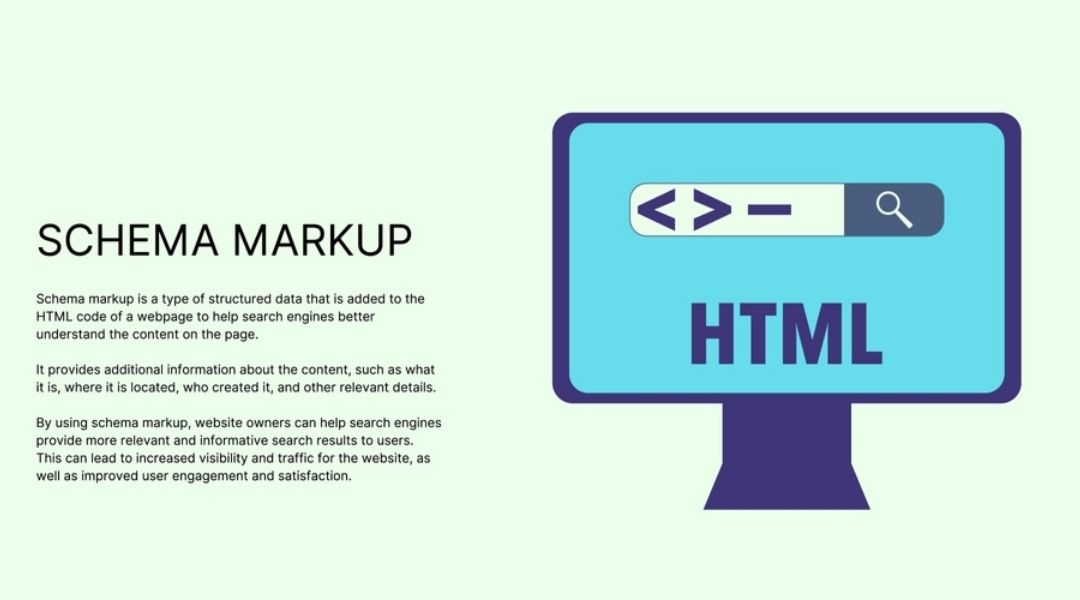
To put it simply, this is a way of giving search engines more information about your content. Regular SEO elements—like titles and descriptions—offer a broad idea. This approach, on the other hand, goes deeper and defines context.
It works by adding small snippets of code to your pages that explain what each part of the content is about: is it a recipe? A product? A review? An event? This extra layer of detail helps search engines decide how to present your listing.
Think of it like this: it’s the difference between “here’s a blog post” and “here’s a five-minute banana bread recipe that’s rated 4.8 stars and only needs three ingredients.”
Which one would you click?

Why I Actually Bother With It
I don’t use this markup because someone said it’s “best practice.” I use it because it works.
In my experience, pages that have been enhanced with it tend to get more attention in search. Not necessarily because they rank higher—but because they look better. They display more relevant info, like ratings, questions, or event dates—right on the results page.
In a world of blue links and short snippets, anything that makes your result more visual, more detailed, or more helpful tends to win the click.
And yes, I’ve seen this tactic double CTR on several client projects—without making any changes to content or backlinks.

 Different Types I Actually Use
While there are hundreds of possible types available, most projects don’t need anything exotic. These are the ones I rely on the most:
Article – Perfect for blog content like what you’re reading now.


FAQ – If you have a Q&A section on your page, you’re probably missing out if you’re not marking it up.


Product – Includes price, stock status, and even reviews.


Event – For webinars, workshops, concerts, etc.


Organization or Local Business – Great for boosting presence in maps and local results.


If you're looking for more examples, I go over them in this article where I break down when and why each type makes sense.

 How I Add Schema (No Coding Degree Required)

Depending on the client’s site setup, I follow one of two paths:
1. Use a Plugin on WordPress
For WordPress sites, plugins like Rank Math and Schema & Structured Data for WP & AMP are my go-to choices. These tools let me choose the type of information I want to highlight and auto-generate the necessary code.
You don’t need to touch a single line of HTML. Just fill in a few fields and hit save.
2. Manual Setup Using JSON-LD
For more control, I manually add code in the JSON-LD format. It looks like a block of structured script (usually dropped into the <head> tag), but it’s actually quite readable once you understand the format.
Here’s what a basic one might define:
Author name


Publish date


Star rating


Nutrition facts (yes, really)


The key is knowing what kind of info search engines can recognize and reward with enhanced results.
Want to try it yourself? I show both methods step-by-step here:
  How to Add Schema Markup to Your Website

 What Are Rich Results, Anyway?
Rich results are the fancy version of search listings. If you’ve seen pages in Google with ratings, thumbnails, FAQ dropdowns, or event dates—that’s the effect of enhanced data.
Not every type of code will trigger these improvements. But when it’s valid and relevant to your content, you stand a much better chance of getting picked.
You can learn more about how this works here:
  Rich Snippets Explained

 Common Mistakes (And How to Avoid Them)
Over the years, I’ve run audits on hundreds of sites—and I’ve seen some, let’s say, “creative” implementations of markup.
A few things to avoid:
Tagging irrelevant content (e.g., adding Product data to a contact page)


Marking up hidden or non-visible elements


Overloading a single page with every possible tag


Google’s gotten smart. They’ll ignore—or even penalize—anything that looks like an attempt to manipulate.
For more on what not to do, here’s a list of real issues I’ve cleaned up:
  Common Schema Markup Errors

 Tools I Actually Use
You don’t need a toolbox full of gadgets—just a few reliable ones.
TechnicalSEO.com Generator – Quick, no-nonsense way to create structured data


Schema.org – The official reference (when I need specifics)


Google’s Rich Results Test – For checking if the code works and will trigger rich results


I don’t publish anything until I’ve tested it. It takes five minutes, and it saves a lot of headaches.
More on testing tools here:
  How to Use Google’s Structured Data Testing Tool

 Real Results From Real Sites

Here’s where things get fun.
One ecommerce client had product pages that were... fine. They ranked OK, but nothing great. We added pricing, availability, and review data using structured info. Result? Click-through rate jumped by 38% within two weeks.
Another client had an FAQ section buried at the bottom of a service page. I added FAQ markup and within a month, they were showing up with dropdowns in Google’s results—above some of their better-known competitors.
Want to dive into more real-world benefits? I talk more about it here:
  The SEO Benefits of Schema Markup

 Final Thoughts (And a Bit of Advice)
Look—I know it sounds technical. But once you understand what it does and how to apply it, this is one of the easiest ways to improve your site’s visibility.
It won’t skyrocket your rankings overnight. It can make your listings more appealing. And that alone is often enough to get more people clicking on your content instead of the guy above you.
Start with one page. Choose one type. Test it. Watch the results.
And if all else fails, well… you know where to find me.


To put it simply, this is a way of giving search engines more information about your content. Regular SEO elements—like titles and descriptions—offer a broad idea. This approach, on the other hand, goes deeper and defines context.

It works by adding small snippets of code to your pages that explain what each part of the content is about: is it a recipe? A product? A review? An event? This extra layer of detail helps search engines decide how to present your listing.

Think of it like this: it’s the difference between “here’s a blog post” and “here’s a five-minute banana bread recipe that’s rated 4.8 stars and only needs three ingredients.”

Which one would you click?

Why I Actually Bother With It

I don’t use this markup because someone said it’s “best practice.” I use it because it works.

In my experience, pages that have been enhanced with it tend to get more attention in search. Not necessarily because they rank higher—but because they look better. They display more relevant info, like ratings, questions, or event dates—right on the results page.

In a world of blue links and short snippets, anything that makes your result more visual, more detailed, or more helpful tends to win the click.

And yes, I’ve seen this tactic double CTR on several client projects—without making any changes to content or backlinks.

 Different Types I Actually Use

While there are hundreds of possible types available, most projects don’t need anything exotic. These are the ones I rely on the most:

  • Article – Perfect for blog content like what you’re reading now.
  • FAQ – If you have a Q&A section on your page, you’re probably missing out if you’re not marking it up.
  • Product – Includes price, stock status, and even reviews.
  • Event – For webinars, workshops, concerts, etc.
  • Organization or Local Business – Great for boosting presence in maps and local results.

If you’re looking for more examples, I go over them in this article where I break down when and why each type makes sense.

 How I Add Schema (No Coding Degree Required)

Schema

Depending on the client’s site setup, I follow one of two paths:

1. Use a Plugin on WordPress

For WordPress sites, plugins like Rank Math and Schema & Structured Data for WP & AMP are my go-to choices. These tools let me choose the type of information I want to highlight and auto-generate the necessary code.

You don’t need to touch a single line of HTML. Just fill in a few fields and hit save.

2. Manual Setup Using JSON-LD

For more control, I manually add code in the JSON-LD format. It looks like a block of structured script (usually dropped into the <head> tag), but it’s actually quite readable once you understand the format.

Here’s what a basic one might define:

  • Author name
  • Publish date
  • Star rating
  • Nutrition facts (yes, really)

The key is knowing what kind of info search engines can recognize and reward with enhanced results.

Want to try it yourself? I show both methods step-by-step here:
 How to Add Schema Markup to Your Website

 What Are Rich Results, Anyway?

Rich results are the fancy version of search listings. If you’ve seen pages in Google with ratings, thumbnails, FAQ dropdowns, or event dates—that’s the effect of enhanced data.

Not every type of code will trigger these improvements. But when it’s valid and relevant to your content, you stand a much better chance of getting picked.

You can learn more about how this works here:
 Rich Snippets Explained

 Common Mistakes (And How to Avoid Them)

Over the years, I’ve run audits on hundreds of sites—and I’ve seen some, let’s say, “creative” implementations of markup.

A few things to avoid:

  • Tagging irrelevant content (e.g., adding Product data to a contact page)
  • Marking up hidden or non-visible elements
  • Overloading a single page with every possible tag

Google’s gotten smart. They’ll ignore—or even penalize—anything that looks like an attempt to manipulate.

For more on what not to do, here’s a list of real issues I’ve cleaned up:
 Common Schema Markup Errors

 Tools I Actually Use

You don’t need a toolbox full of gadgets—just a few reliable ones.

  • TechnicalSEO.com Generator – Quick, no-nonsense way to create structured data
  • Schema.org – The official reference (when I need specifics)
  • Google’s Rich Results Test – For checking if the code works and will trigger rich results

I don’t publish anything until I’ve tested it. It takes five minutes, and it saves a lot of headaches.

More on testing tools here:
 How to Use Google’s Structured Data Testing Tool

 Real Results From Real Sites

REsults

Here’s where things get fun.

One ecommerce client had product pages that were… fine. They ranked OK, but nothing great. We added pricing, availability, and review data using structured info. Result? Click-through rate jumped by 38% within two weeks.

Another client had an FAQ section buried at the bottom of a service page. I added FAQ markup and within a month, they were showing up with dropdowns in Google’s results—above some of their better-known competitors.

Want to dive into more real-world benefits? I talk more about it here:
 The SEO Benefits of Schema Markup

 Final Thoughts (And a Bit of Advice)

Look—I know it sounds technical. But once you understand what it does and how to apply it, this is one of the easiest ways to improve your site’s visibility.

It won’t skyrocket your rankings overnight. It can make your listings more appealing. And that alone is often enough to get more people clicking on your content instead of the guy above you.

Start with one page. Choose one type. Test it. Watch the results.

And if all else fails, well… you know where to find me.
