
Get in Touch

112 Capitol Trail, Suite A 361, Newark, Delaware 19711

Phone

+1 917 7958958

Email

info@mkhllc.com

Follow us

Request a quote

Blog Post

A/B Testing

A/B Testing for Optimization: What, Why & How

If there’s one thing I’ve learned in digital marketing, it’s this: guessing is expensive. I’ve seen campaigns with high production budgets completely tank because nobody bothered to test a single thing before launch. That’s why A/B testing is a non-negotiable part of my optimization strategy.

It’s not about being fancy—it’s about being right. Or at least more right than last time.

Whether you’re running paid ads, managing landing pages, or fine-tuning email campaigns, A/B testing gives you the data you need to make smart, effective decisions—and stop gambling with your budget.

 What You’ll Learn in This Post

  • What A/B testing actually is (and what it’s not)
  • Why I trust it to improve performance without draining ad spend
  • How I run tests that lead to real results (not just reports)
  • Common mistakes I’ve made so you can avoid them
  • The tools I’ve used—and the ones I’ve quietly abandoned
  • What to do when a test flops (because yes, it happens)

 What Is A/B Testing?
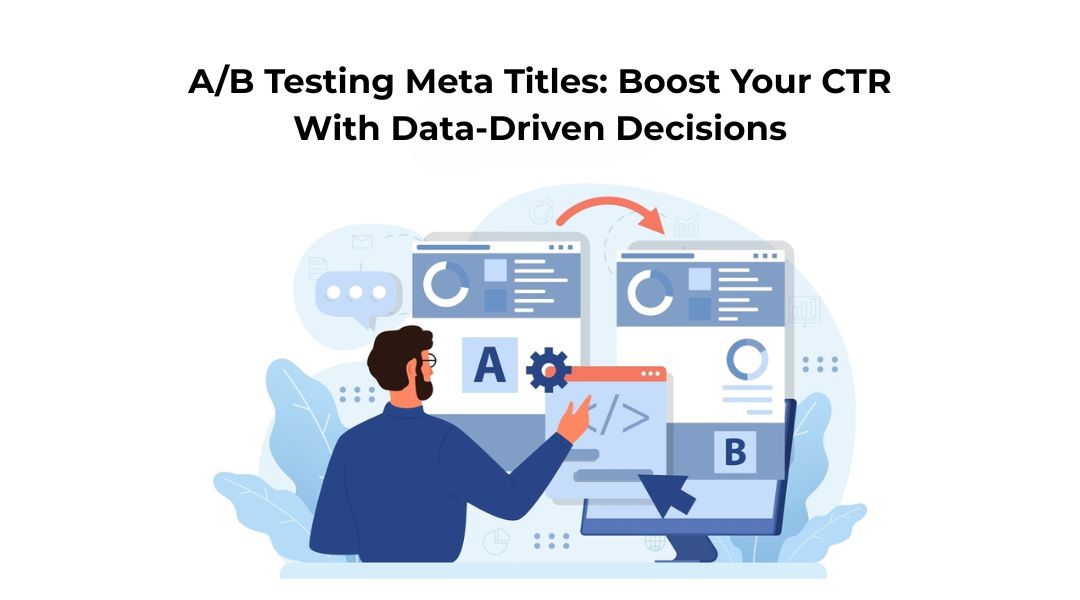
A/B Testing Meta Titles: Boost Your CTR With Data-Driven Decisions

Let’s keep it simple: A/B testing (also called split testing) is comparing two versions of something—let’s call them “A” and “B”—to see which one performs better. Usually, A is your original version (the control), and B is your new variation.

You split your audience so each version gets equal visibility. Then you let the numbers decide who wins.

I’ve tested things like:

  • Button text (“Buy Now” vs. “Let’s Go”)
  • Headline formats
  • CTA placements
  • Ad visuals
  • Subject lines in email campaigns

It’s not multivariate testing. We’re not trying to be mad scientists with 12 variables at once. One change at a time, one clear result.

Why I Rely on A/B Testing

1. It’s the best way to improve what you already have.

Instead of chasing more traffic, I focus on making better use of the traffic I already have. A small change—like shortening a form or adjusting headline copy—can move the needle without touching the ad budget.

2. It finds user friction you didn’t even notice.

I use tools like heatmaps and session recordings to identify where people bounce or hesitate. Then I test ways to fix it. It’s data-driven detective work.

3. It saves you from expensive redesign regrets.

You don’t need to rebuild your whole funnel. You need to find which part isn’t pulling its weight. A/B testing helps me validate changes before I commit to them.

 Want to go deeper on performance-based strategy? Read: Data-driven social optimization

 How I Run A/B Tests (Step-by-Step)

I keep things lean, repeatable, and goal-focused. Here’s my usual flow:

Step 1: Establish a baseline

Start with data. What’s your current conversion rate? Where are users dropping off? Tools like this performance monitoring checklist are super handy for this.

Step 2: Form a hypothesis

“If I change X, I expect Y to improve.” That’s the core of it. It’s not just about change—it’s about change with a purpose.

Step 3: Build your variations

Only one change at a time. I mean it. One. Change.

Step 4: Choose your testing method

If there’s one thing I’ve learned in digital marketing, it’s this: guessing is expensive. I’ve seen campaigns with high production budgets completely tank because nobody bothered to test a single thing before launch. That's why A/B testing is a non-negotiable part of my optimization strategy.
It’s not about being fancy—it’s about being right. Or at least more right than last time.
Whether you’re running paid ads, managing landing pages, or fine-tuning email campaigns, A/B testing gives you the data you need to make smart, effective decisions—and stop gambling with your budget.

 What You’ll Learn in This Post
What A/B testing actually is (and what it’s not)


Why I trust it to improve performance without draining ad spend


How I run tests that lead to real results (not just reports)


Common mistakes I’ve made so you can avoid them


The tools I’ve used—and the ones I’ve quietly abandoned


What to do when a test flops (because yes, it happens)


 What Is A/B Testing?
Let’s keep it simple: A/B testing (also called split testing) is comparing two versions of something—let’s call them “A” and “B”—to see which one performs better. Usually, A is your original version (the control), and B is your new variation.
You split your audience so each version gets equal visibility. Then you let the numbers decide who wins.
I’ve tested things like:
Button text (“Buy Now” vs. “Let’s Go”)


Headline formats


CTA placements


Ad visuals


Subject lines in email campaigns


It’s not multivariate testing. We’re not trying to be mad scientists with 12 variables at once. One change at a time, one clear result.

Why I Rely on A/B Testing
1. It’s the best way to improve what you already have.
Instead of chasing more traffic, I focus on making better use of the traffic I already have. A small change—like shortening a form or adjusting headline copy—can move the needle without touching the ad budget.
2. It finds user friction you didn’t even notice.
I use tools like heatmaps and session recordings to identify where people bounce or hesitate. Then I test ways to fix it. It’s data-driven detective work.
3. It saves you from expensive redesign regrets.
You don’t need to rebuild your whole funnel. You need to find which part isn’t pulling its weight. A/B testing helps me validate changes before I commit to them.
 Want to go deeper on performance-based strategy? Read: Data-driven social optimization

 How I Run A/B Tests (Step-by-Step)
I keep things lean, repeatable, and goal-focused. Here's my usual flow:
Step 1: Establish a baseline
Start with data. What’s your current conversion rate? Where are users dropping off? Tools like this performance monitoring checklist are super handy for this.
Step 2: Form a hypothesis
“If I change X, I expect Y to improve.” That’s the core of it. It’s not just about change—it’s about change with a purpose.
Step 3: Build your variations
Only one change at a time. I mean it. One. Change.
Step 4: Choose your testing method

Client-side for front-end elements like color or text.


Server-side for structural things like load time or workflows.


Step 5: Launch and monitor
Let the test run long enough to collect solid data. No peeking. No early winners.
Step 6: Analyze and apply
The results aren’t just interesting—they’re actionable. Use them to update your campaigns, pages, or ads.
 If you’re running social campaigns, this approach pairs well with social performance monitoring.

 What I Test—and Where
My favorite test spots:
High-traffic landing pages


High-bounce blog posts


Lead gen forms


Email open and click rates


Social ad creatives


Some of the simplest tests I've run had the biggest results. Swapping button copy once increased clicks by 22%. No redesign needed.
Want to troubleshoot content performance? Start with your highest-exit pages:
  Here’s how I do it: Improve social content performance

 Tools I Use and Recommend
I’ve tested (pun intended) a bunch of platforms. Here’s what I keep coming back to:
VWO – Clean UI, easy setup, great support.


Optimizely – Powerful, but better suited for large teams.


Meta Ads Experiments – Great for split testing ad creatives.


MailChimp / Moosend – Solid for email A/B testing.


For full performance tracking and tool integration:
  Performance monitoring tools

 Mistakes I’ve Made (So You Don’t Have To)
Here’s where I’ve slipped in the past (more than once):
Testing too many things at once. It’s tempting. Don’t do it.


Ending tests too soon. You need time and traffic to reach statistical significance.


Letting bias win. I once ignored the results because I liked the other version better. Oops.


Low traffic tests. If your page doesn’t get enough views, the test won't be reliable.


For structure and sanity, I now rely on my monthly performance checklist.

 What to Do With the Results
Don’t stop at “B won.” Ask why it won.
Was it the layout? The language? The image?
Sometimes I run a follow-up test to isolate the exact driver of performance. And if a test fails completely? That’s still a win. I learned something I wouldn’t have known otherwise.
Bonus read: Turning analytics into insights

 Does It Always Work?
Nope. And that’s okay.
I’ve had A/B tests return zero difference. Or even backfire. Like the time I tested a quirky CTA that killed conversion rates. It flopped—but taught me a lot about my audience.
The takeaway? You don’t need perfect results. You need reliable direction.

 What I Want You to Remember
A/B testing helps you make decisions with data—not gut feelings.


Small changes can lead to real improvements.


Keep testing, keep learning, and don’t get attached to version A just because you built it.


 Still optimizing? Here's how I stay consistent: Continuous social optimization

 A/B Testing FAQs
How long should I run my test?
 Usually 7–14 days, depending on traffic. You want statistically reliable results—not just early hunches.
What if my test doesn’t give a clear winner?
 Try testing a different variable, or reframe your hypothesis.
Can I A/B test on social media?
 Yes! I do it all the time using Meta’s built-in ad experiments. It's not just for landing pages.

  • Client-side for front-end elements like color or text.
  • Server-side for structural things like load time or workflows.

Step 5: Launch and monitor

Let the test run long enough to collect solid data. No peeking. No early winners.

Step 6: Analyze and apply

The results aren’t just interesting—they’re actionable. Use them to update your campaigns, pages, or ads.

 If you’re running social campaigns, this approach pairs well with social performance monitoring.

 What I Test—and Where

My favorite test spots:

  • High-traffic landing pages
  • High-bounce blog posts
  • Lead gen forms
  • Email open and click rates
  • Social ad creatives

Some of the simplest tests I’ve run had the biggest results. Swapping button copy once increased clicks by 22%. No redesign needed.

Want to troubleshoot content performance? Start with your highest-exit pages:
  Here’s how I do it: Improve social content performance

 Tools I Use and Recommend

I’ve tested (pun intended) a bunch of platforms. Here’s what I keep coming back to:

  • VWO – Clean UI, easy setup, great support.
  • Optimizely – Powerful, but better suited for large teams.
  • Meta Ads Experiments – Great for split testing ad creatives.
  • MailChimp / Moosend – Solid for email A/B testing.

For full performance tracking and tool integration:
 Performance monitoring tools

 Mistakes I’ve Made (So You Don’t Have To)

Here’s where I’ve slipped in the past (more than once):

  • Testing too many things at once. It’s tempting. Don’t do it.
  • Ending tests too soon. You need time and traffic to reach statistical significance.
  • Letting bias win. I once ignored the results because I liked the other version better. Oops.
  • Low traffic tests. If your page doesn’t get enough views, the test won’t be reliable.

For structure and sanity, I now rely on my monthly performance checklist.

 What to Do With the Results

Don’t stop at “B won.” Ask why it won.

Was it the layout? The language? The image?

Sometimes I run a follow-up test to isolate the exact driver of performance. And if a test fails completely? That’s still a win. I learned something I wouldn’t have known otherwise.

Bonus read: Turning analytics into insights

 Does It Always Work?

Nope. And that’s okay.

I’ve had A/B tests return zero difference. Or even backfire. Like the time I tested a quirky CTA that killed conversion rates. It flopped—but taught me a lot about my audience.

The takeaway? You don’t need perfect results. You need reliable direction.

 What I Want You to Remember

  • A/B testing helps you make decisions with data—not gut feelings.
  • Small changes can lead to real improvements.
  • Keep testing, keep learning, and don’t get attached to version A just because you built it.

 Still optimizing? Here’s how I stay consistent: Continuous social optimization

 A/B Testing FAQs

FAQ

How long should I run my test?
Usually 7–14 days, depending on traffic. You want statistically reliable results—not just early hunches.

What if my test doesn’t give a clear winner?
Try testing a different variable, or reframe your hypothesis.Can I A/B test on social media?
Yes! I do it all the time using Meta’s built-in ad experiments. It’s not just for landing pages.