



We’ve all seen it—pages crammed with the same phrase 20 times in 800 words, desperately trying to please search engines. Spoiler alert: that doesn’t work anymore (and it hasn’t for a while).
Today, using keywords effectively in on-page SEO is about precision, not repetition.
You don’t need to force them into every line—you just need to place them where it matters, and let the content do the rest.
In this post, I’ll walk you through how I use keywords naturally, strategically, and successfully—without sacrificing readability.
What You’ll Learn:
- Where I place primary and secondary keywords
- How to avoid keyword stuffing while staying relevant
- Tools I use to guide placement
- My keyword placement checklist before publishing
If you’re not yet familiar with on-page SEO, I suggest reviewing my beginner’s guide to get a stronger foundation first.
Why Keyword Placement Still Matters
Search engines have gotten smarter, yes—but keywords still help them understand your content.
Strategic keyword placement:
- Signals relevance to search queries
- Helps pages appear for targeted topics
- Supports featured snippet and rich result eligibility
- Improves UX by aligning with reader expectations
But this doesn’t mean stuffing the same word everywhere. I focus on positioning, not volume.
Step 1: Know Your Primary Keyword

Before I write or optimize a page, I choose one primary keyword to target. Just one.
For example:
If I’m writing about blog SEO, my primary keyword might be:
“on-page SEO for blogs”
I also identify semantic variations and supporting phrases to include naturally, such as:
- blog SEO tips
- optimize blog posts
- SEO content structure
These help broaden context without keyword stuffing.
Step 2: Place Your Primary Keyword in Key Locations
Now that I have the main keyword, here’s how I use it across the page:
1. Page Title (Meta Title)
Include the primary keyword near the front of the title tag. Keep it under 60 characters.
Example:
How to Optimize Blog Posts for SEO Success
More tips here: meta tag optimization guide
2. URL Slug (if possible)
If I’m creating a new page, I add the keyword to the URL in a clean format:
Example:
/on-page-seo-blogs
Avoid long slugs or unnecessary words. Keep it simple and focused.
3. H1 Tag (Main Page Heading)
Your H1 should reflect the page’s main topic—and naturally include the keyword (or a close variation).
Example:
On-Page SEO for Blogs: Tips That Actually Work
4. First 100 Words
I place the keyword in the opening paragraph—but only when it makes sense.
This helps with:

- Search engine context
- Confirming the page’s relevance to the reader
Remember: Don’t force it. Write naturally. If it fits, great. If not, use a close variation.
5. Subheadings (H2 or H3 Tags)
I use the keyword—or a variation—once in a subheading. This reinforces the topic without being repetitive.
Example subheading:
How to Structure SEO Blog Content With Headings
Explore how I write headings here: header tag structure for SEO
6. Body Content (2–4 times naturally)
I include the keyword or variation where it fits—in context, not in bulk.
No robotic repetition. Just normal, valuable writing.
What I avoid:
- Exact match phrases back-to-back
- Keyword lists
- Awkward phrasing like “SEO blog blog blog blog SEO”
7. Image Alt Text (When Relevant)
If there’s an image that supports the keyword topic, I include it in the alt text. But I don’t force it on every image.
Example:
alt=”Optimizing blog posts for on-page SEO”
8. Anchor Text for Internal Links
When I link to related content, I use descriptive anchor text that naturally includes the keyword or a related phrase.
Example:
Check out my full guide on optimizing blog content.
I never use vague phrases like “click here” or “learn more.”
Step 3: Use Semantic Keywords (LSI Terms)
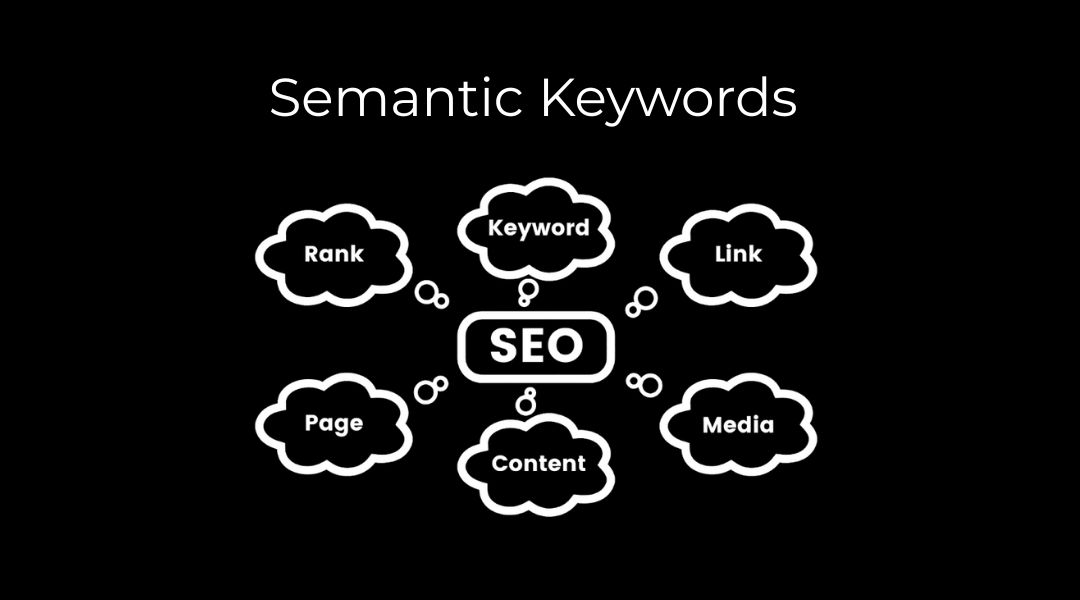
I use tools like Google Search, Ahrefs, or SEMrush to find related terms and questions people ask.
For example, if I’m targeting “on-page SEO,” I might include:
- how to format headers
- SEO content structure
- keyword mapping
- page-level optimization
These help Google understand the full context of the content—without sounding robotic.
Step 4: Avoid Keyword Stuffing
Google penalizes keyword stuffing. So do readers (by leaving your site).
Here’s how I keep my writing clean:
- Read the content out loud—if it sounds weird, I simplify
- Check keyword frequency (usually no more than 2–3% total)
- Focus on clarity and usefulness first
Step 5: Let Search Intent Guide Keyword Usage
I write content to solve the user’s problem—not just to match a term.
If someone searches “how to use keywords for SEO,” they’re probably looking for:
- Where to place keywords
- How many times to use them
- Common mistakes to avoid
So I answer those questions directly in my content.
It’s not just about keywords. It’s about being useful and relevant.
Common Keyword Placement Mistakes I Still See
Stuffing Keywords in Every Sentence
You don’t need the keyword 17 times. Two to four well-placed mentions are more than enough.
Ignoring Headers
Headers are powerful for both SEO and UX. Don’t skip them—or make them vague.
Missing Keywords in Key Areas
If your keyword isn’t in the title, H1, or intro, you’re likely missing ranking opportunities.
Using the Same Keyword on Multiple Pages
If multiple pages target the same exact keyword, they compete against each other.
That’s called keyword cannibalization, and I try to avoid it.
My Keyword Placement Checklist
Before I publish any content, I ask:
- Is the primary keyword in the title tag?
- In the H1 tag?
- In the first 100 words of the content?
- Once in a subheading (naturally)?
- Included 2–4 times in the body (without forcing it)?
- In one or two image alt texts?
- Used in anchor text when linking internally?
If I can check off most of these, I know I’m in a good spot.
Final Thoughts
Keyword placement isn’t about cramming. It’s about strategy.
I treat every keyword like a guide—not a rule. I write for people, and optimize for search—in that order.
Used properly, keywords tell Google: “Hey, this page is relevant.” Used poorly, they tell Google: “This page is trying too hard.”
Want help reviewing how your content uses keywords? That’s something I audit every time I touch on-page SEO.



