


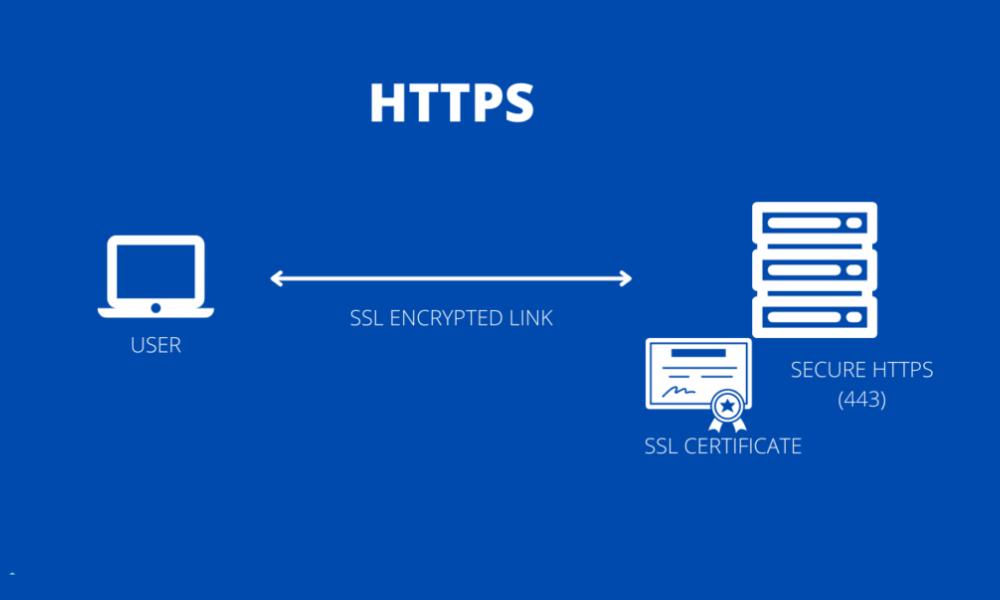
Whether you’re running a blog, an eCommerce store, or a service-based site, if you haven’t secured your domain—or if your HTTPS setup is flawed—you’re leaving rankings and conversions on the table.
Let me walk you through how I approach HTTPS and site security in technical SEO audits, and why it’s one of the first things I fix.
What You’ll Learn in This Article
Here’s what I’ll walk you through:
- Why HTTPS matters for SEO in 2025
- How security issues can affect crawling, indexing, and rankings
- The right way to implement HTTPS without hurting performance
- Tools I use to monitor security status
- What mistakes I see all the time—and how I fix them
Why HTTPS Still Matters for SEO
Google made HTTPS a confirmed ranking factor back in 2014. But here’s the part most people miss:
In 2025, HTTPS isn’t just about encrypting data. It’s about establishing trust—with search engines and users.
Here’s how it helps:
- Improves ranking signals (all else equal, HTTPS pages outrank HTTP)
- Unlocks full browser compatibility (many modern browsers flag HTTP sites as “Not Secure”)
- Enables advanced SEO features like Core Web Vitals and Service Workers
- Protects form submissions and login data, reducing bounce and increasing conversions
- Supports better indexing by reducing blocked resources and mixed content errors
Bottom line: HTTPS is no longer optional—it’s expected.
How Security Impacts Technical SEO
Search engines prioritize safe, trustworthy sites. Here’s where security comes into play:
1. Crawling and Rendering
Mixed content (loading insecure scripts or images on a secure page) can:
- Block crawlers
- Break layouts
- Trigger browser warnings
2. Indexing Issues
If bots encounter security errors—expired certificates, 403/500 server codes, or blocked files—they may:
- Delay or skip indexing
- Drop pages from the index
- Flag the site as unsafe
3. User Signals
When browsers display “Not Secure” warnings:
- Users bounce
- Time-on-site drops
- Trust evaporates
All of which sends poor engagement signals back to Google.
My HTTPS Implementation Checklist
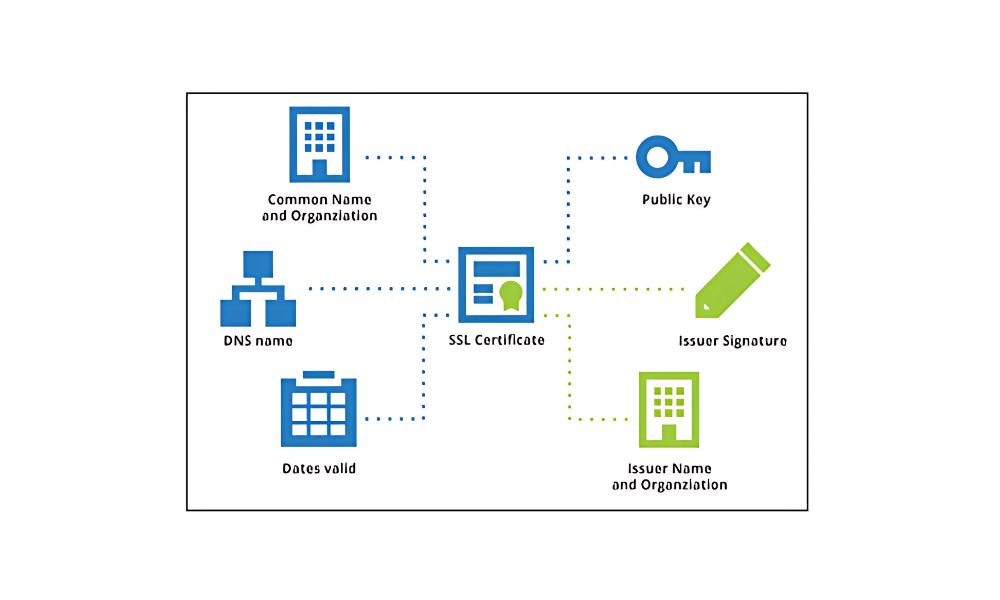
Here’s how I migrate or review HTTPS in technical SEO projects:
Step 1: Install an SSL Certificate
Use a valid, up-to-date SSL certificate from:
- Let’s Encrypt (free)
- Cloudflare (proxy + SSL)
- Hosting providers like SiteGround or Kinsta
Check that the certificate:
- Covers all versions (with/without www)
- Uses SHA-2 encryption
- Is auto-renewed before expiration
Step 2: Force HTTPS Everywhere
Set up 301 redirects from all HTTP URLs to their HTTPS equivalents.
I check for:
- Old pages still accessible via HTTP
- Inconsistent canonical tags pointing to HTTP
- Sitemap and robots.txt entries using HTTPS only
Step 3: Update Internal Links and Assets
I update:
- All internal links to point to HTTPS
- Theme and plugin resources
- External scripts (if self-hosted copies are safer)
Step 4: Fix Mixed Content Warnings
Using tools like Why No Padlock or browser DevTools, I:
- Identify any insecure images, CSS, JS
- Replace or relink to secure sources
- Remove calls to insecure iframes or embeds
Step 5: Revalidate in Google Search Console
After migration, I:
- Add the HTTPS property in GSC
- Submit updated sitemaps
- Monitor indexing coverage and security reports
Tools I Use for HTTPS & Security Audits

Here’s my usual stack:
- SSL Labs (Qualys) – test SSL strength and protocol setup
- Why No Padlock – detect mixed content
- Google Search Console > Security Issues – for malware, manual actions
- Security Headers (securityheaders.com) – check HTTP headers like HSTS
- Cloudflare or Sucuri – for firewalls, caching, and DDoS protection
- SiteGround / Kinsta dashboards – for auto-renewal and SSL enforcement
Common HTTPS Mistakes I Still See
Even in 2025, these pop up constantly:
- Only partial HTTPS redirect (e.g., home page secure, but blog isn’t)
- Sitemap still points to HTTP URLs
- Canonical tags referencing non-secure versions
- Internal links using mixed protocols
- Expired or invalid SSL certificates
- Third-party scripts pulling insecure content (especially on landing pages)
Each one hurts crawlability, indexation, and trust.
Bonus: Going Beyond HTTPS—Security Best Practices I Follow
Once HTTPS is enforced, I go further:
- Enable HTTP Strict Transport Security (HSTS)
- Set proper Content Security Policy (CSP) to reduce code injection risk
- Use secure cookies and X-Content-Type-Options headers
- Scan regularly for vulnerabilities
- Block access to sensitive folders via robots.txt or server rules
It’s not just about SEO—it’s about protecting your users.
Final Takeaway: Security Supports Visibility and Trust
Here’s the deal:
If your site isn’t secure, it’s not trustworthy.
And if it’s not trustworthy, Google won’t rank it—and users won’t stay.
HTTPS is foundational.
It keeps bots crawling, users converting, and your brand from flashing red “Not Secure” warnings.So whether you’re launching a new site or fixing an old one, start here.
Because in technical SEO, performance means nothing if your pages aren’t secure.



